
DISCUS Software is proud to announce their latest software update, DISCUS 2025 Update 2.

DISCUS 2025 U2 is an update to the software that delivers meaningful enhancements to DISCUS Desktop, IDA® and DISCUS 3D functionality, aimed at improving performance, usability and reliability.
In DISCUS 2025 U2, Desktop users will have the ability to bulk delete Custom Requirement and Custom Result Fields.
A standout feature in this release is the DISCUS IDA® Processing Dialog. This replaces the candidate creation dialog with a much more robust dialog that allows for more modular runs of IDA®.
DISCUS 2025 U2 is the result of internal and external feedback from around 2500 customers. We strive to enhance the DISCUS experience across all of our DISCUS modules.
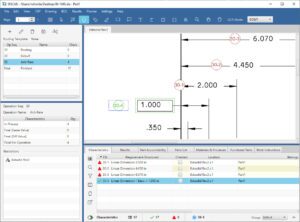 DISCUS 2025 U2 has improvements that include:
Desktop
- Added the ability to bulk delete Custom Requirement and Custom Results Fields
- Added an X Icon to remove the Signature Image from the Part Accountability Tab
- Added “Close TDP” to File Menu
- New Users can now export the Supplier code list
- Improved adding spec document will remember whether the user wants to be displayed or hidden by default
- Added a warning message when exporting 200 or more requirement images to Excel
IDA®
- New IDA® Modularity Update
– When loading a drawing into DISCUS, users still have the option to have IDA® process
the drawing, but this is now disabled by default - New IDA® Processing Dialog
– This replaces the candidate creation dialog with a much more robust dialog that allows for
more modular runs of IDA®
– Users can preview each page by hovering over the preview icon, choose which page(s) to
include in an IDA® run, and see the progress of any given sheet on a drawing
– Tolerance Template, Measuring System, Exclusion, and Automatic Conversion options
are all now in this dialog
– Multiple IDA® runs can now occur on a drawing with fewer steps, and prior IDA® runs are
now maintained between runs
– To re-run IDA® on a page that’s already been processed, simply check the Include
checkbox. A warning now displays letting the user know they’ll be overwriting the prior run - Improved IDA® Auto Ballooning
- Improved Exclusion Zone Mode has been refined and moved to the IDA® Processing Dialog
3D
- New Added Most Recent View to View Panel
- New Balloons, Sections, and Text Markup can now be saved to the Most Recent View
– Settings > 3D Settings now has a toggle to enable/disable this behavior - New Model Panel Background Color selection now persists between sessions
- Improved Auto-ballooning logic
- Improved Section Views should now properly display the sectioning on the model
- Improved STEP242 Notes should import more consistently
Planner
- New Planner > Manage Operations Drawings dialog created to allow users to quickly assign/unassign drawings from any Operation(s)
License Server
- Improved Server Stack for better performance and security
And more…
To see the full list of release notes CLICK HERE.
We are committed to customer satisfaction and are dedicated to making your DISCUS experience great.
“Overall, the implementation of DISCUS Software with IDA® has been transformative for PCC Airframe, enabling the team to maintain high standards while improving operational efficiency. ” – Dustin Teter, Product Integration Engineer, PCC Airframe
Be sure to attend our DISCUS training sessions to see these new features! Sign up below to experience the latest DISCUS has to offer.
DISCUS 2025 U2 continues to improve the features set for an easy, intuitive user experience.
To try out DISCUS 2025 U2, download the free trial installer.
For a demo, contact [email protected] or call 614-360-2424 ext. 1.
If you’d like to have input on future DISCUS Desktop and IDA® Versions CLICK HERE